From Skeptic to Devotee: The Ultimate Guide to Choosing and Using Sleep Earbuds
Overview
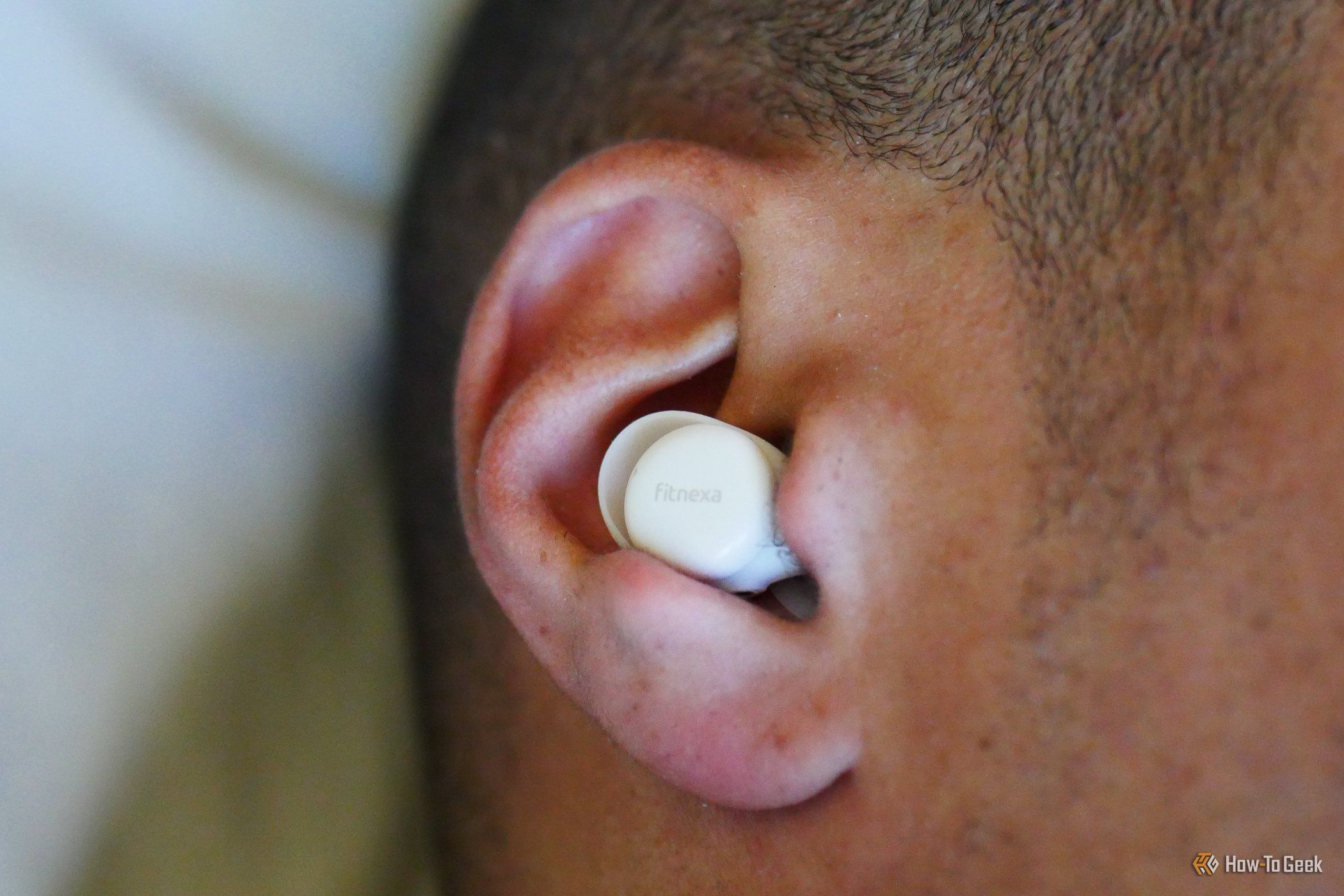
If you've ever dismissed sleep earbuds as an unnecessary gadget, you're not alone. Many people, including myself, once believed that any pair of earbuds could serve double duty—daytime listening and nighttime sleeping. After all, they all produce sound, right? Wrong. After years of waking up with tangled cords, sore ears, and half-eaten batteries, I finally gave sleep-specific earbuds a shot. Now they're my most valuable audio accessory. This guide will walk you through everything you need to know: from understanding why dedicated sleep earbuds are worth it, to selecting the perfect pair, setting them up for restful nights, and avoiding the pitfalls that can turn a good night's sleep into a painful experiment.
Prerequisites
Before diving into the world of sleep earbuds, ensure you have the following basics covered:
- A compatible device (smartphone, tablet, or laptop) with Bluetooth 5.0 or later for reliable connectivity.
- A sleep environment that supports earbud use—a relatively quiet room, a comfortable pillow that won't dislodge the buds, and a willingness to experiment with fit.
- Patience for an adjustment period; sleeping with new ear gear takes a few nights to feel natural.
- Basic knowledge of your earbud's app if it offers sleep-specific features like timers, ambient sound modes, or equalizer presets.
- A backup pair of standard earbuds for daytime use—sleep buds typically have smaller batteries and less robust sound for calls or music.
Step-by-Step Instructions
1. Selecting the Right Sleep Earbuds
Not all earbuds are created equal when it comes to sleep. Look for models that prioritize comfort, low profile, and long battery life. Key features include:
- Ultra-soft silicone or memory foam tips that conform to your ear canal without pressure points.
- Low overall volume (many sleep buds cap at 85 dB) to prevent hearing damage during prolonged use.
- Active noise cancellation (ANC) or passive isolation—ANC is better for blocking consistent sounds like hums, while passive works for irregular noises.
- Automatic sleep/wake detection so the buds pause audio when you actually fall asleep.
- IPX4 or higher water resistance to survive sweat, drool, or accidental water exposure.
Popular options include the Ozlo Sleepbuds, Bose Sleepbuds (discontinued but still available used), and Anker Soundcore Sleep A10.
2. Pairing and Initial Setup
Most sleep earbuds connect via Bluetooth just like regular buds. Here's the standard process:
- Remove the earbuds from the charging case—they should enter pairing mode automatically. If not, tap and hold the touch sensor for 5 seconds until the LED flashes.
- Open the Bluetooth settings on your phone and select the sleep earbuds from the list. They may appear as a generic device name like "Sleep Buds" or a model number.
- Download the companion app if one exists. This app usually controls sleep timers, ANC levels, and custom equalizer settings optimized for sleep sounds (e.g., white noise, rain, binaural beats).
- Set a default sleep sound or playlist. Many apps let you schedule a gradual fade-out after 30–60 minutes to save battery.
- Test the fit by lying down in bed. If the buds press into your ear or fall out easily, try the next smallest tip size. A good fit is essential for comfort and noise isolation.
3. Optimizing for a Night's Sleep
Once paired, fine-tune the settings for your personal sleep style:
- Enable sleep mode if available. This disables touch controls during sleep to prevent accidental pauses or volume changes.
- Adjust ANC to a level that blocks your specific ambient noise (e.g., highest for snoring partner, moderate for distant traffic).
- Set an auto-off timer to match your expected sleep duration. This preserves battery and prevents the buds from playing all night if you wake up early.
- Position your phone within 3 feet of your head to maintain strong Bluetooth connection. A poor connection can cause dropouts that disrupt sleep.
- Use a sleep mask with ear flaps if the buds still feel loose. The mask adds gentle pressure to keep them in place.
4. Maintaining Your Sleep Earbuds
To extend the lifespan:

- Clean the eartips weekly with a mild soap solution and let them air dry completely before reusing.
- Wipe the charging contacts with a dry cloth to prevent corrosion.
- Store the buds in their case every morning to ensure they are fully charged for the next night.
- Avoid exposing them to extreme heat (e.g., on a windowsill) or leaving them in a hot car, which can damage batteries.
Common Mistakes
Even with dedicated sleep earbuds, many people stumble. Here are the most frequent errors and how to avoid them:
- Buying the wrong size tips – Too large causes pain; too small lets in noise. Take the fit test: if you can wiggle the bud without it shifting, it's correct.
- Ignoring battery life – Most sleep buds last 6–10 hours. If you sleep longer, you'll wake up to dead buds. Charge them daily and consider a model with quick-charge (15 minutes for 2 hours).
- Using them for loud music or podcasts – Sleep earbuds are optimized for low-level, relaxing audio. Cranking up volume can damage hearing and defeat the purpose of relaxing sleep.
- Placing them incorrectly – Inserting too deeply can push earwax inward, while too shallowly reduces seal. Follow the manual's twist-to-lock method.
- Forgetting to disable phone alarms – If your phone alarm plays through the earbuds, you might oversleep because the buds' volume is low. Instead, use the earbuds' own alarm feature (if available) or set a separate vibration alarm.
- Sharing earbuds – Wax buildup and bacteria transfer can cause ear infections. Each person should have their own pair.
Summary
Dedicated sleep earbuds transform nighttime audio from a compromise into a tailored comfort solution. By selecting the right pair with soft tips and intelligent features, setting them up correctly, and avoiding common pitfalls like poor fit and battery neglect, you can dramatically improve both your sleep quality and your mornings. While the initial investment may seem high, the payoff—uninterrupted, personalized soundscapes that fade out as you drift off—makes them the most underrated gadget in your tech arsenal. Whether you're a light sleeper, a side-sleeper, or someone who just loves the sound of rain at 2 AM, these buds are worth every penny.